Swap.img and disk full fix
Reason for post
Plex randomly stopped working. I wondered why? It took me a bit to figure out, but I checked my webmin dashboard and saw that my disk was full. Some playing around and I had high swap.img usage and the ubuntu-lvm volume created at startup was full. So here is my fix below. I view this as how to put that particular fire out, I have not figured out how to stop the fire from happening in the first place.
Swap Image
I have ran into an issue where the swapfile has become full. I have found a fix to it, but it is to resize it. Swap file basically uses ram so if you don’t want to keep giving it more and more and more to the point where you need to upgrade the ram, then what I did was basically delete the swap file and make a new one.
How
Log in via ssh or open the terminal:
1
2
sudo swapoff -a
sudo rm swap.img
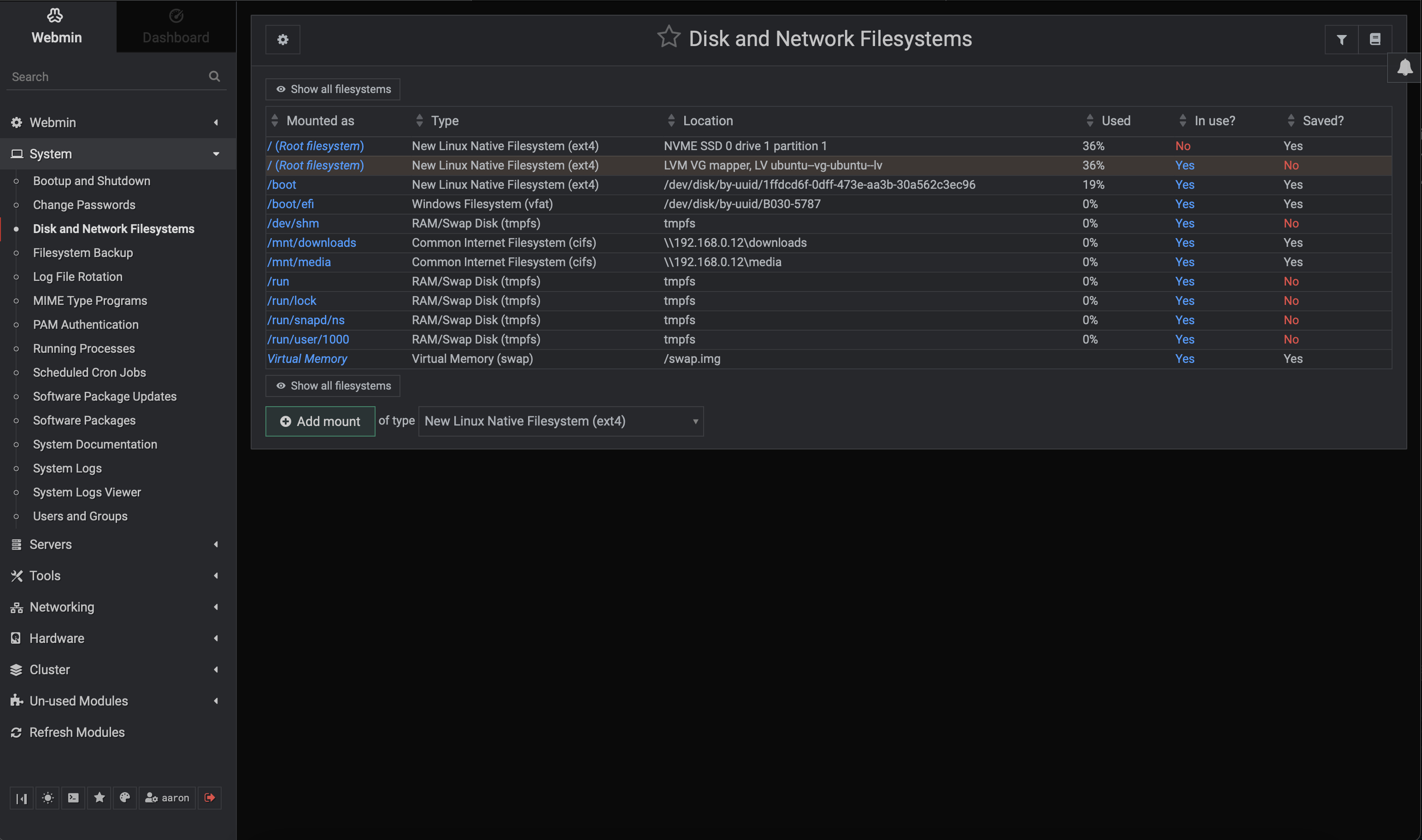
Next go to webmin dashboard, http://ipaddress:10000. Go to System/Disk and Network Filesystems. At the bottom is Virtual Memory. Click on it.
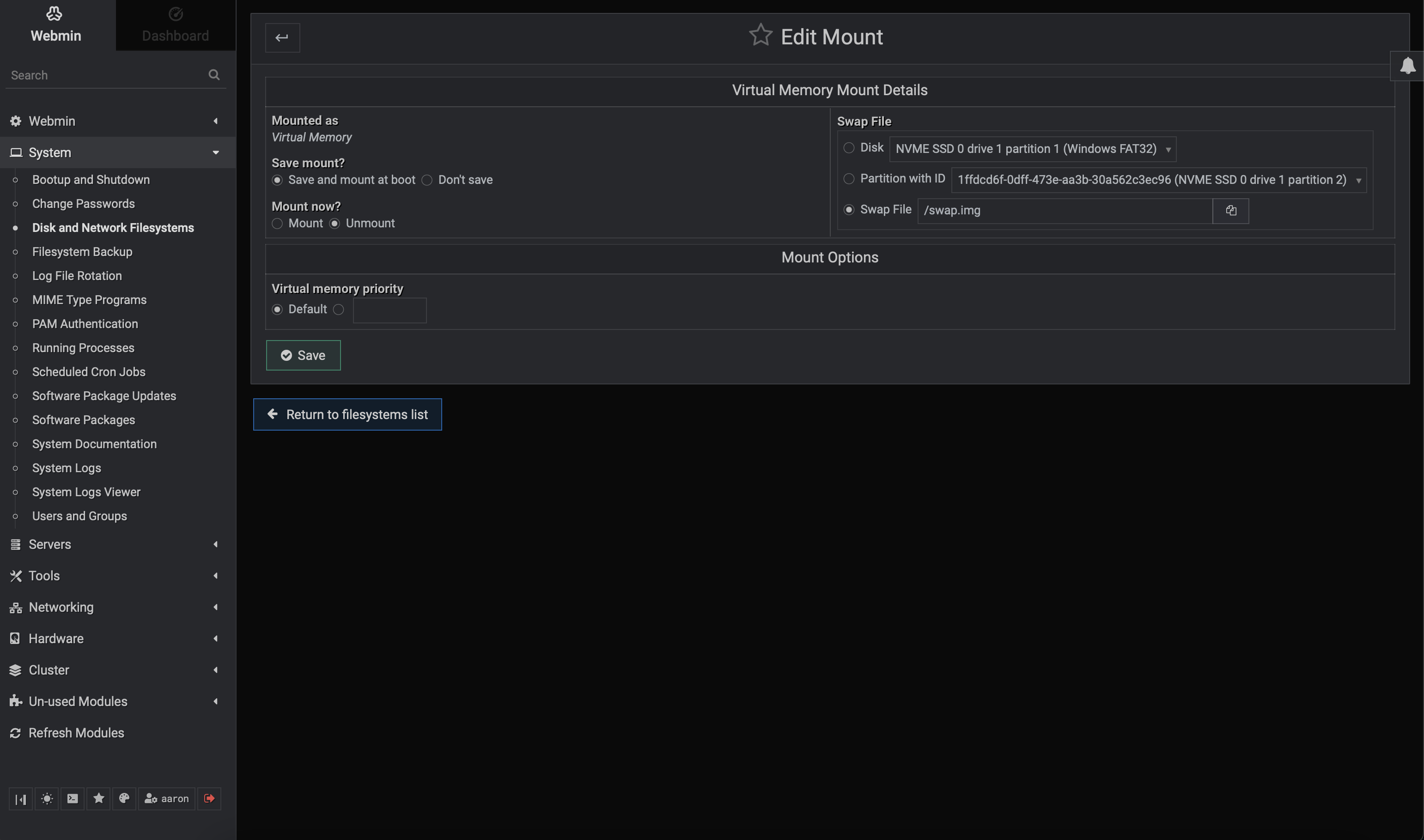
It should take you to a Edit Mount page. On the mount now? click mount. on the right, make sure swap file is selected. Click save.
It should bring you to a page to select file size. Edit it, then click save.
You should be able to check the free space with the command:
1
free -m
Disk full
Open the webmin dashboard, http://ipaddress:10000, then go to Hardware/Logical Volume Management.
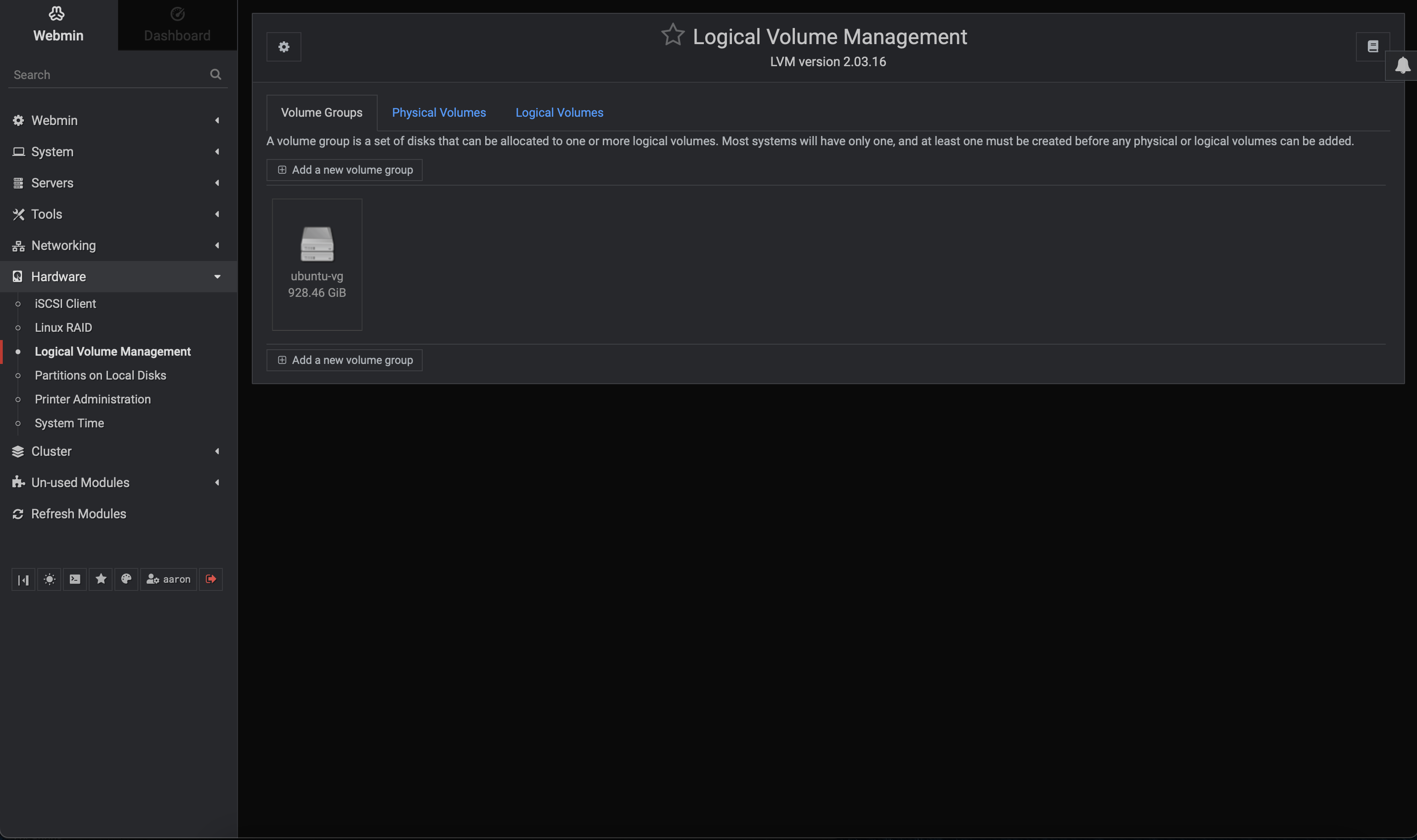
Click on Logical Volumes
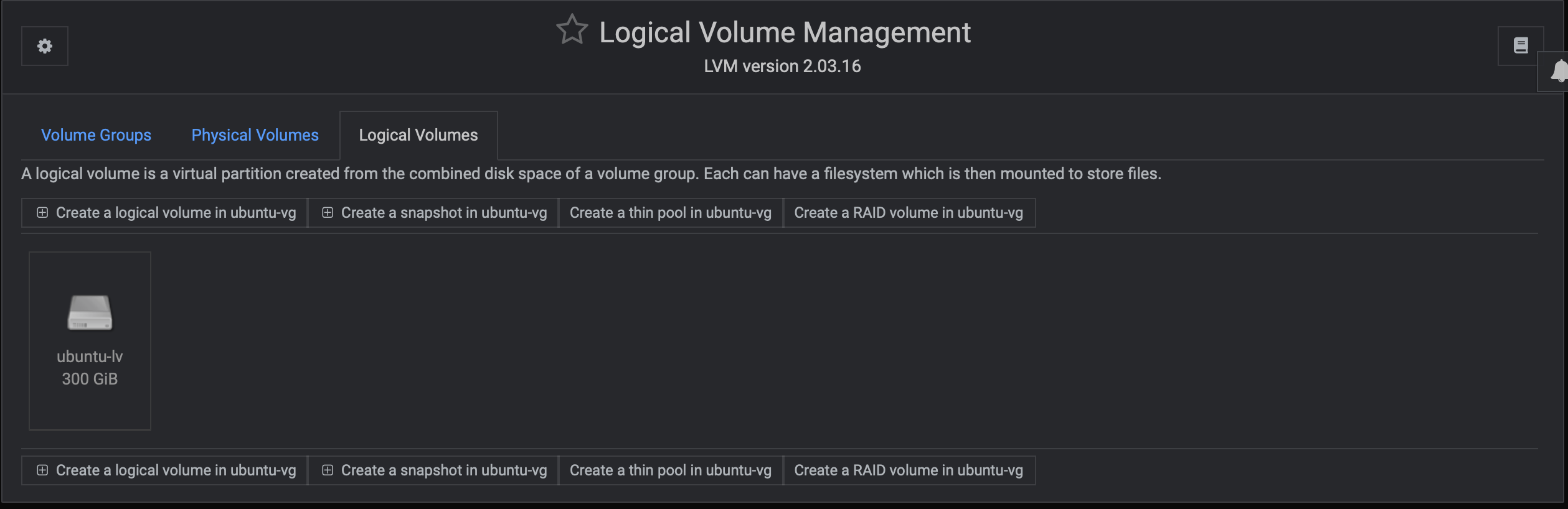
Click on the disk icon labeled ubuntu-lv with a size of disk below label.
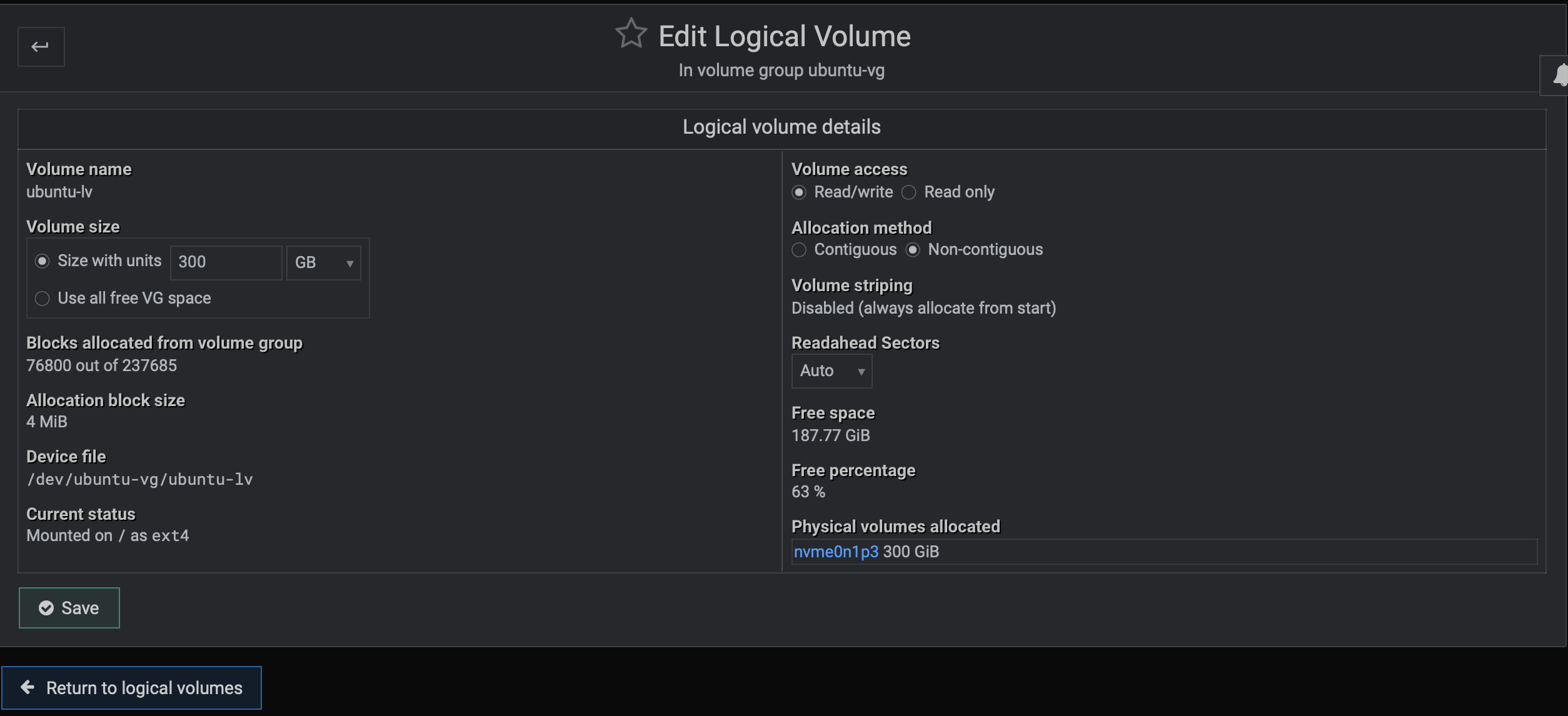
For volume size, modify that to desired size, then click save.
Citations
Webmin:
- main: https://webmin.com
- downloads: https://webmin.com/download/
Ploi.io: